6 AI Features That Speed Up Your CS Team
You have 3 CS agents. But WhatsApp brings in a voice note from a Malaysian buyer, an Instagram DM from a customer who sent a photo of an invoice, and another WhatsApp message from a client asking about shipping — all arriving at the same time during peak hours.It's not your team's fault. Many steps in the customer service workflow are still being done manually when they could be automated. Each manual step adds seconds that compound into slow response times — and slow response times directly affect conversion.SaleSmartly embeds AI directly in the chat window, so CS teams can handle six common bottlenecks without switching apps.## 6 AI Features for Better Customer Service Efficiency### 1. Real-Time Translation — Talk to international customers without speaking their language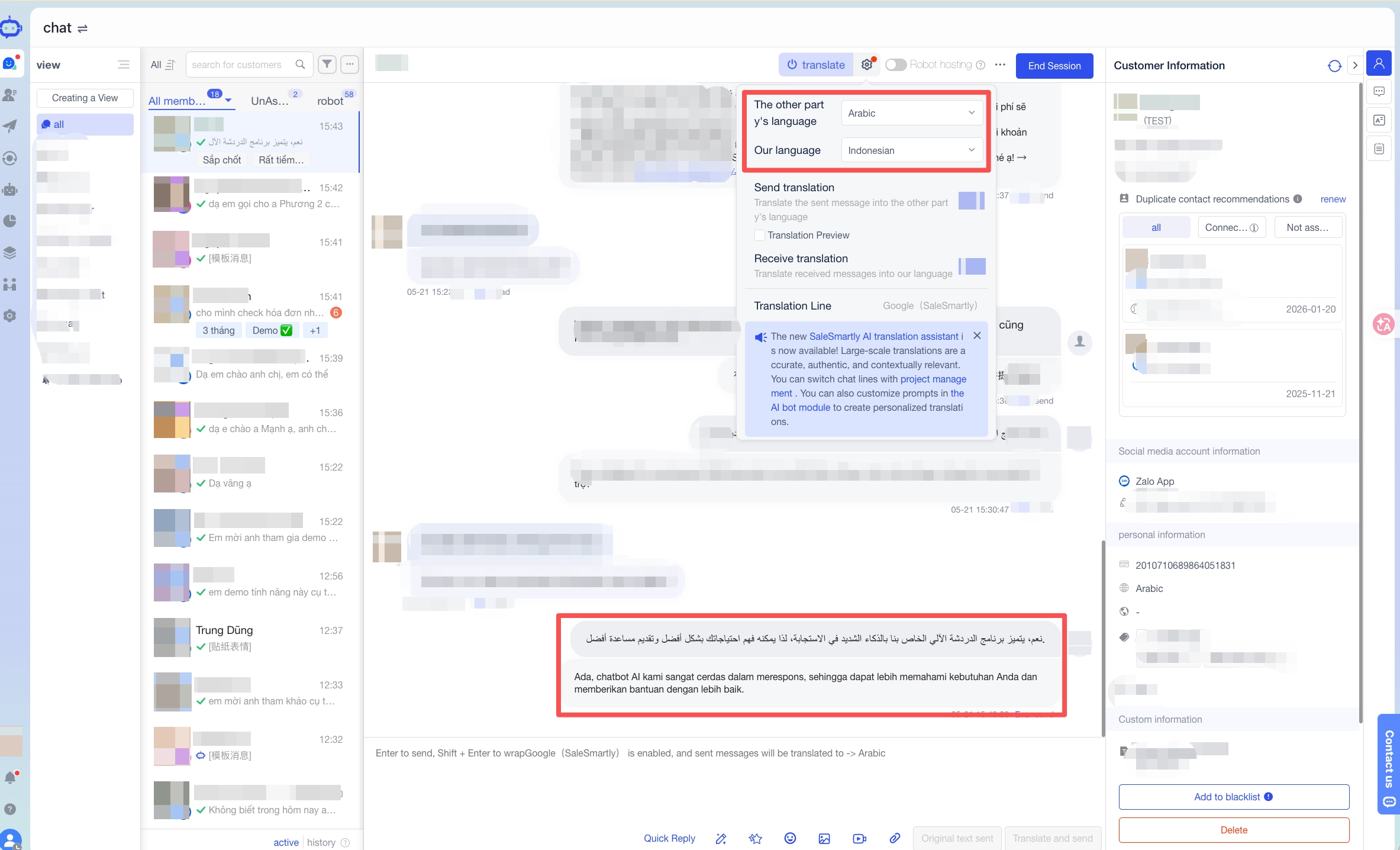 The bottleneck: You have customers from different countries writing in different languages. CS staff copy-paste into Google Translate, add an extra step, and risk mistranslating messages.What AI does: Two-way translation inside the chat window. CS writes in Indonesian; the customer receives English or Malay. The customer replies in another language; CS reads in Indonesian. No tab-switching.The outcome: Faster handling of international conversations. Fewer misunderstandings. A small team can serve multilingual customers without hiring language-specific staff.See: SaleSmartly Real-Time Translation### 2. Auto Language Detection — Know what language you're dealing with immediately
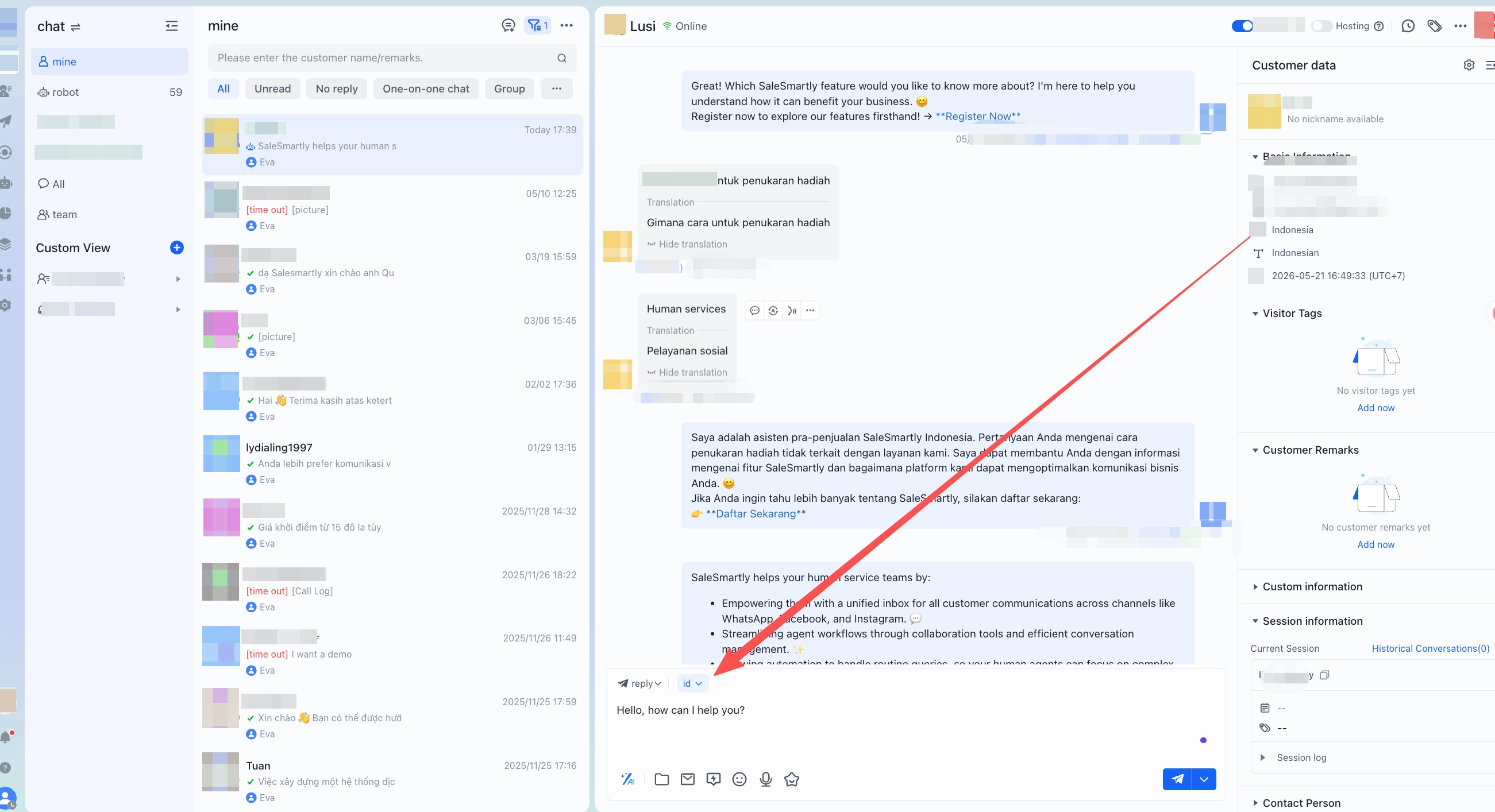 The bottleneck: A CS agent opens a new conversation not knowing what language the customer uses, needs several exchanges before getting to the actual issue.What AI does: Automatically identifies the customer's language and activates the matching translation mode. When CS opens the conversation, it's already configured.The outcome: Faster time-to-effective-communication. The customer feels immediately responded to, not waiting for CS to set up.### 3. Voice-to-Text — Process voice notes without listening to them one by oneThe bottleneck:** Voice notes take 3–5 minutes each to process. At high volumes, this becomes a significant time drain.What AI does: Transcribes incoming voice notes to text instantly. CS reads the content in 10 seconds instead of listening for 2 minutes.The outcome: Dramatically reduced time per voice note interaction. CS focuses on what the customer said, not on the act of listening.### 4. Text-to-Voice — Send audio responses when they work better than text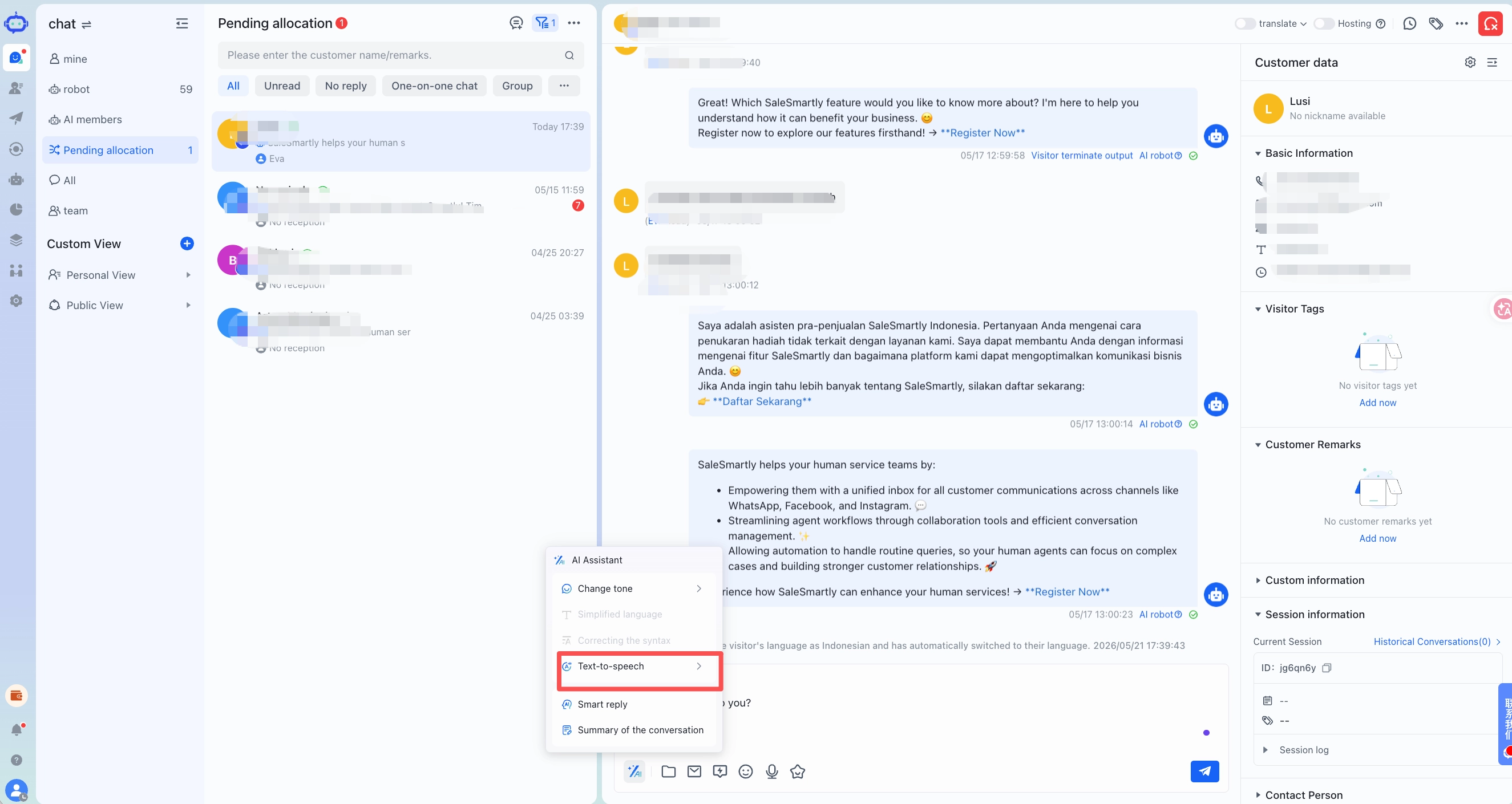
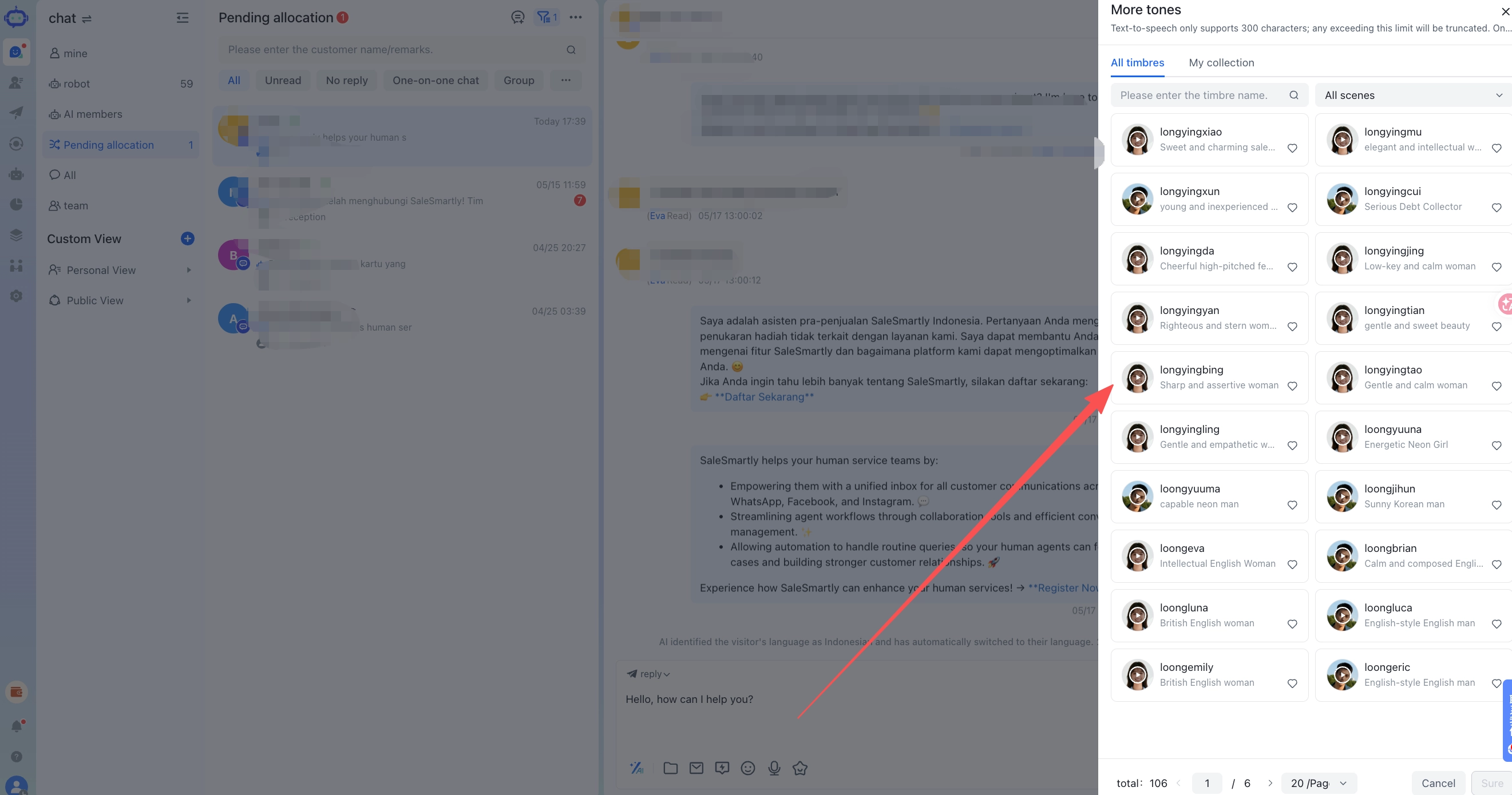 The bottleneck: Some information — how to use a product, complex explanations — is easier to understand as audio than as long text.What AI does: Converts the CS agent's written text to an audio message and sends it to the customer.The outcome: Better fit for customer segments that prefer voice communication. Useful for detailed product explanations.### 5. Image Text Extraction (OCR) — No more manually typing information from photos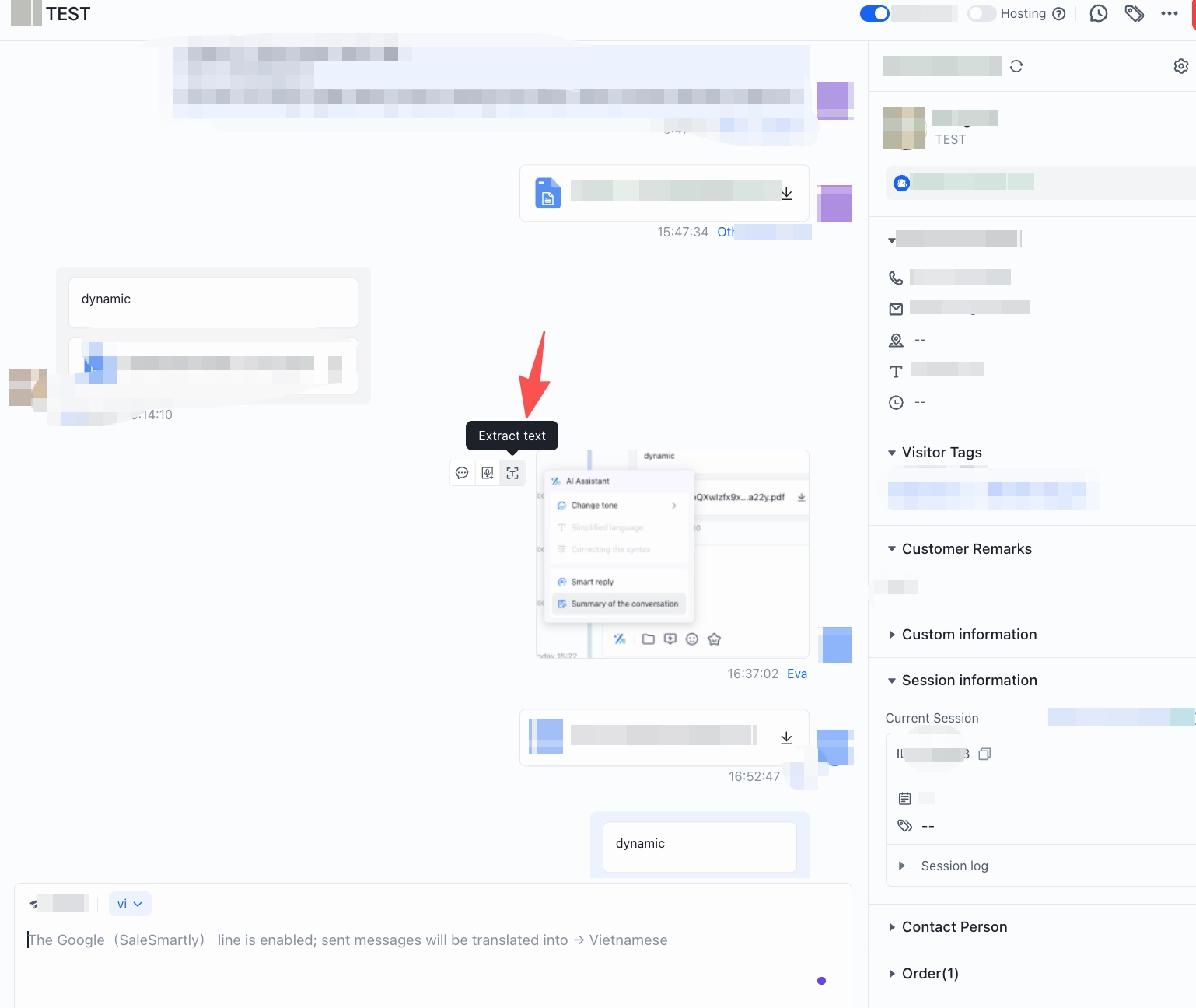
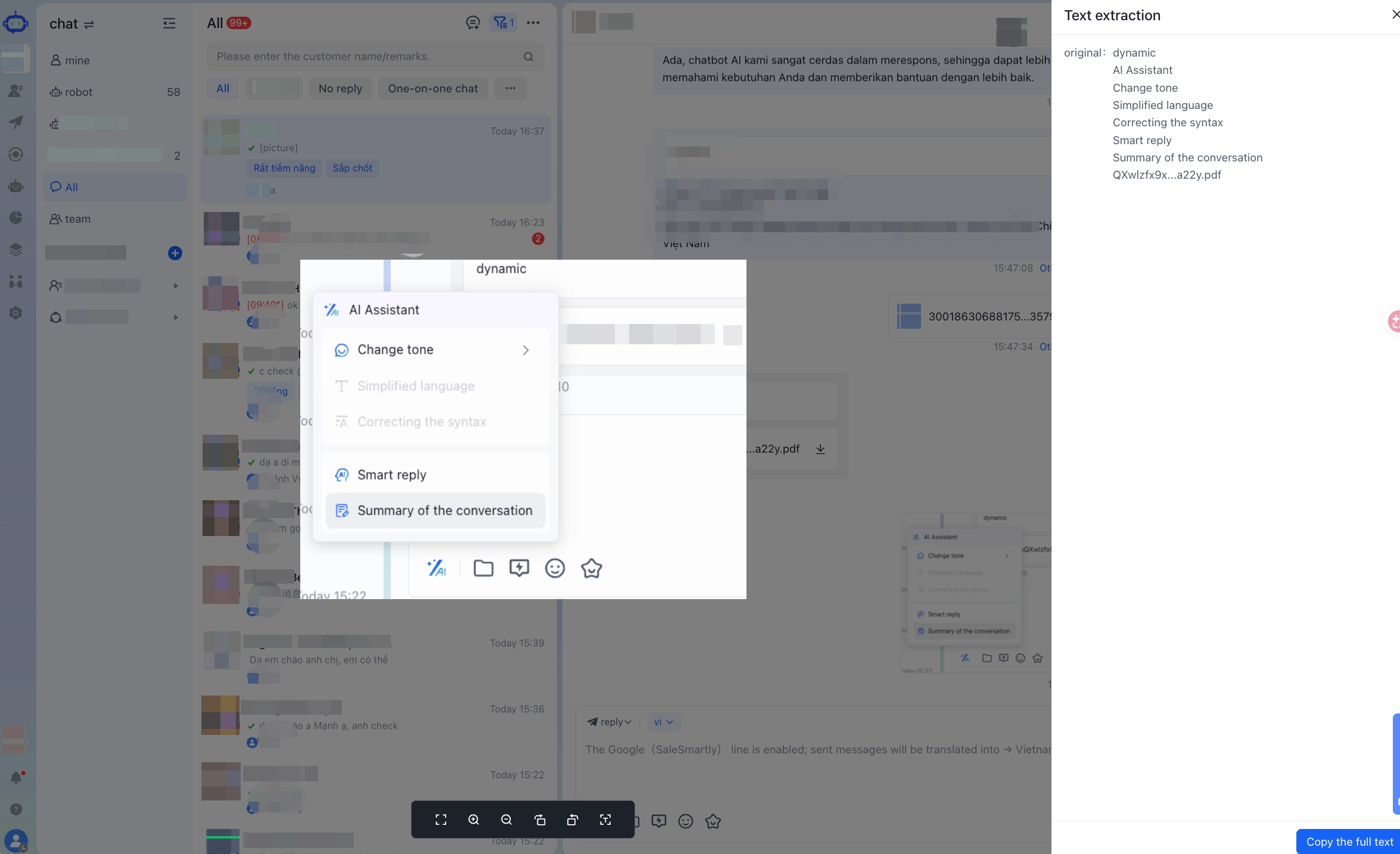 The bottleneck: Customers send photos of orders, invoices, or delivery addresses. CS has to read the photo and type the information manually — slow and error-prone.What AI does: Automatically recognizes and extracts all text from images into usable data.The outcome: No manual data entry. More accurate data. Faster order processing. Fewer errors.### 6. Smart Reply — Draft responses faster with AI suggestions
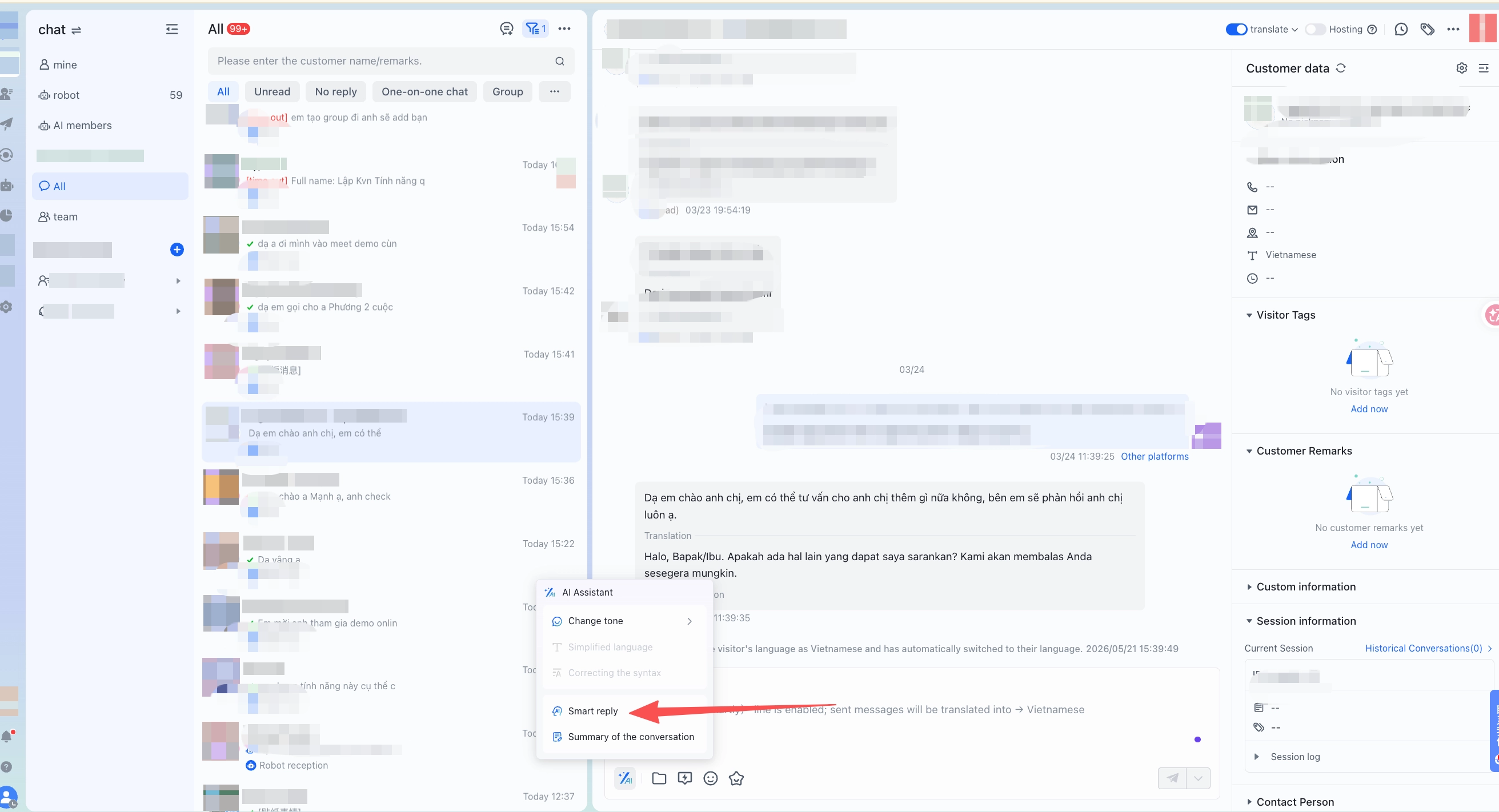 The bottleneck: Every customer question requires careful reading, thinking through a response, then typing. At high volumes, this creates inconsistent quality and slow turnaround.What AI does: Analyzes conversation context and suggests relevant responses. CS selects or edits rather than writing from scratch.The outcome: Faster response speed. More consistent quality across CS staff. Especially helpful for new team members still learning the product.*## Why This MattersEach feature addresses a specific bottleneck. When all six exist simultaneously in a single shift, the compounding effect is measurable: slow first-response times, longer handling times, and some conversion-ready conversations getting dropped.Grouped by function:- Understand quickly — Real-Time Translation + Auto Language Detection
- Process faster — Voice-to-Text + Image Text Extraction (OCR)
- Reply well — Smart Reply + Text-to-VoiceCombined with SaleSmartly's automation features and unified inbox, these six capabilities create a CS workflow that runs faster with less manual effort per conversation.***## Key Takeaways- All 6 AI features operate directly in the chat window — no app or tab switching required
- Best suited for teams handling multilingual customers, high voice note volume, or frequent image-based order information
- Works across all integrated channels: WhatsApp Business API, Instagram DM, TikTok, Telegram, and moreView pricing and start a free trial***## FAQ### Does the AI assistant work across all connected channels?Yes. The AI assistant operates within SaleSmartly's unified inbox and is available for all integrated channels — including WhatsApp Business API, Instagram DM, TikTok, and Telegram. CS teams use the same interface regardless of channel.### Is additional setup required to use the translation feature?No. Translation and language detection are built directly into the chat interface. CS can activate translation in any conversation with a single click.### What languages does voice-to-text support?SaleSmartly supports voice transcription for major languages including Bahasa Indonesia, English, Arabic, Portuguese, and Spanish. See the full list at the real-time translation feature page.### Is the AI assistant suitable for small teams?Yes. For teams of 2–5 people, it allows a small headcount to handle higher conversation volumes. For larger teams, it standardizes response quality and reduces new staff training time.### How do I get started?View SaleSmartly pricing and start a free trial — no credit card required. Setup can be done within 1 business day.
AI Agent for Customer Service in Indonesia: From Legacy Chatbots to Autonomous Digital Workers
Legacy chatbots are now a conversion liability for omnichannel businesses. Learn how AI Agents work, compare the top platforms for Indonesian SMEs, and see how to lift conversions across WhatsApp, Instagram, and TikTok.
Email Marketing End to End: Content, Segmentation, and Reply Management in One Place
SaleSmartly consolidates four email marketing steps into one system: content creation, customer segmentation, variable personalization, and reply management.
