What Is the Best CRM Software for Your Business in 2026?
Every growing business reaches a point where spreadsheets and scattered chat threads stop keeping up with its customers. CRM software solves this by pulling every contact, deal, and conversation into one system your whole team works from. This guide explains what CRM software is, why it matters, and compares six platforms verified as strong choices for 2026, each with honest pros and cons to help you choose.
What Is CRM Software?
CRM software (Customer Relationship Management software) is a centralised system that consolidates customer information, records every interaction, and manages sales, marketing, and support activities in one platform, enabling a business to strengthen relationships and convert more deals.
At its core, a CRM maintains a single, unified record for each customer that captures contact details, purchase history, support tickets, and the full log of messages exchanged across every channel. This shared record eliminates the inefficiency of searching through disconnected inboxes and notes, giving sales, marketing, and service teams a consistent, real-time view of each account.
Why Do Businesses Need CRM Software?
Businesses need CRM software because scattered customer data directly costs revenue, and the financial case is well documented. The global CRM market is projected to reach 126 billion US dollars in 2026, with 91% of companies that have 10 or more employees now running a CRM, according to figures compiled by DemandSage. Adoption at that scale reflects a hard operational reality, since a growing customer base cannot be held in spreadsheets and inboxes without leaking deals.
That said, practitioners are clear that a CRM should solve a specific problem, not chase a feature list. In one widely read Reddit discussion, small-business owners agree a CRM earns its keep once it saves more time than it takes to maintain, typically when repeat clients, long sales cycles, or a growing team make it hard to remember who needs what next. Below that threshold, several noted, a spreadsheet still works fine.
Once a business passes that point, the value comes from five clear reasons:
- Centralized data: A CRM replaces scattered spreadsheets with a single, unified database for all customer details, past conversations, and purchase histories, so every team works from the same record.
- Better sales pipelines: It helps sales teams track leads, organise tasks, and prioritise potential deals to close them faster. Research cited by Salesforce links this consolidation to a sales increase of up to 29% and a 34% gain in productivity.
- Improved customer service: Support teams get instant access to client histories and preferences, which allows faster and more personalised service, often paired with AI bots for customer service to handle routine questions automatically.
- Task automation: The system handles repetitive chores like email follow-ups, call logs, and scheduling reminders, freeing the team from manual admin.
- Clear insights: Built-in reporting and analytics track sales performance and customer trends, helping leaders make data-driven decisions with confidence.
The one factor that decides whether a CRM delivers is execution, because industry data shows over half of CRM implementations fall short of their goals, almost always due to poor data quality and low user adoption, not the software itself.
Top 6 CRM Software Platforms in 2026
The right CRM depends on your size, budget, and whether your priority is sales pipelines, marketing, or customer conversations. These six lead CRM softwares on the market in 2026 include:
| # | Platform | Best for | Pros | Cons |
|---|---|---|---|---|
| 1 | HubSpot | All-in-one sales and marketing | Generous free tier, easy to start | Costs rise sharply at higher tiers |
| 2 | Zoho CRM | Budget all-in-one teams | Broad features at low cost | Interface can feel cluttered |
| 3 | Pipedrive | Visual sales pipelines | Simple, intuitive deal tracking | Light on marketing and support |
| 4 | SaleSmartly | Conversational, chat-based CRM | Omnichannel inbox, flexible AI | Not a full sales-pipeline CRM |
| 5 | Salesforce | Enterprise customization | Deepest features and integrations | Complex setup, high cost |
| 6 | Freshsales | Small teams wanting AI built in | Strong free plan, clean UI | Fewer third-party integrations |
1. HubSpot: Best All-in-One Sales and Marketing CRM
HubSpot is the CRM most "best of" lists default to, and for good reason. It combines sales, marketing, and customer service in one platform, and its free tier supports unlimited contacts, which makes it a common starting point for growing businesses. As a team scales, it can add paid Hubs for automation, reporting, and advanced marketing.
HubSpot's strength is how quickly a team gets running, with a clean interface and a strong Gmail integration. The trade-off is that costs climb steeply once a business moves past the free tier into Professional plans, and mandatory onboarding fees can apply.
- Free CRM tier: Unlimited contacts and core sales tools at no cost.
- All-in-one platform: Sales, marketing, and service in one connected system.
- Marketing automation: Email campaigns, forms, and lead scoring built in.
- Fast setup: Live in days, not months.
Best for: Growing businesses that want sales and marketing in one place and a genuine free tier to start.
2. Zoho CRM: Best Budget All-in-One CRM
Zoho CRM offers a very broad feature set at a fraction of the cost of the enterprise leaders, which makes it a favourite for budget-conscious teams. It handles pipeline management, workflow automation, sales forecasting, and reporting, and it connects to the wider Zoho One ecosystem of business apps.
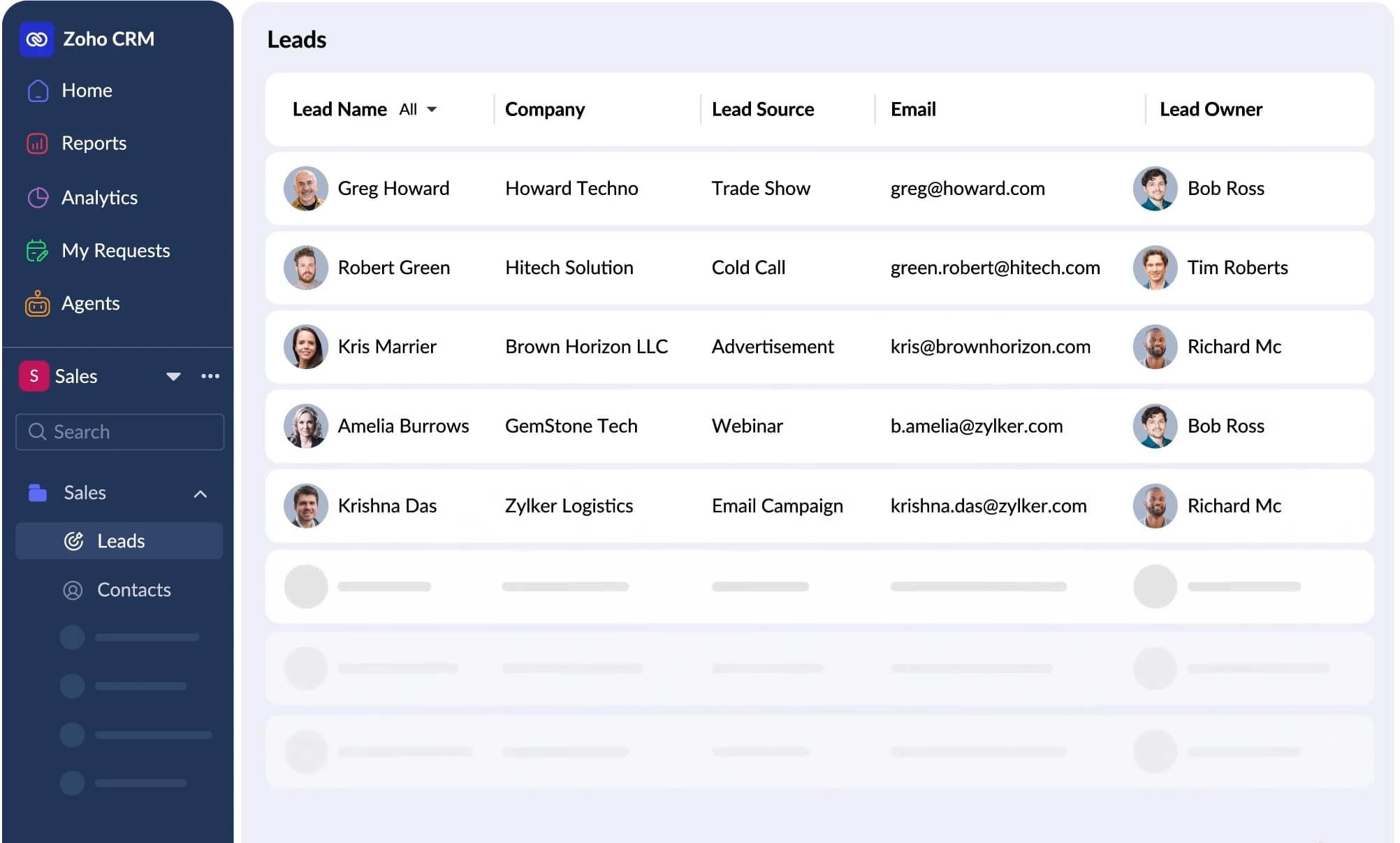
The appeal is getting roughly 80% of the capability of a premium CRM at a lower price. The cost of that breadth is an interface that can feel cluttered, and some teams find the sheer number of features takes time to learn.
- Low-cost plans: Full CRM features at a budget-friendly price.
- Workflow automation: Automates routine sales and follow-up tasks.
- Sales forecasting: Weighted forecasts rolled up from deal stages.
- Zoho ecosystem: Connects to Zoho's suite of business tools.
Best for: Small and mid-size teams that want a broad feature set without a premium price tag.
3. Pipedrive: Best for Visual Sales Pipelines
Pipedrive is a sales-native CRM built around a visual, drag-and-drop pipeline. Made by salespeople for salespeople, it popularised the kanban-style deal board that most modern CRMs now copy, and it stays focused on moving deals through stages without drowning reps in data entry.
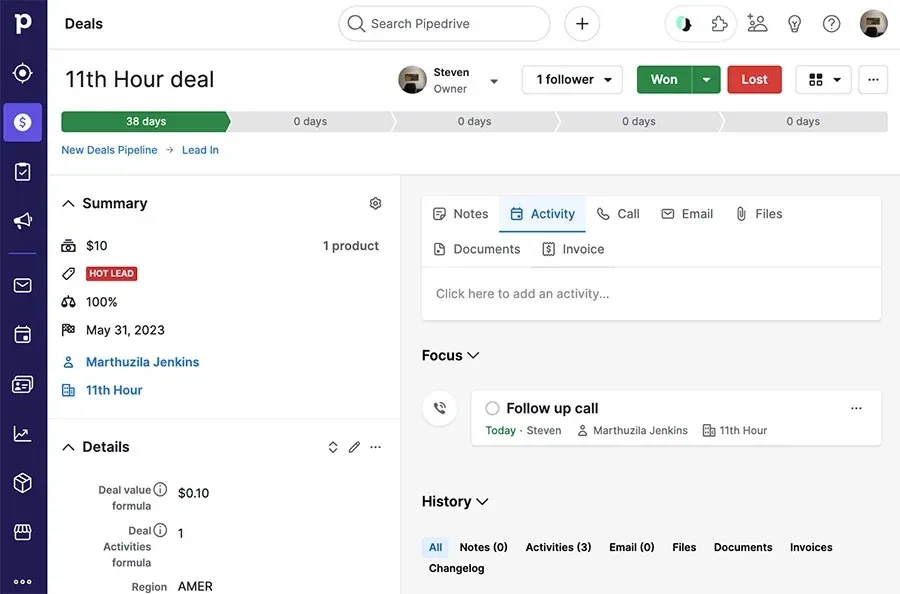
Its strength is simplicity and a clear view of every deal, paired with a broad integration library. The limitation is that Pipedrive is light on marketing and customer-service features, so a business needing those will pair it with other tools.
- Visual pipeline: Drag-and-drop deal stages that are easy to read at a glance.
- Sales focus: Built specifically for pipeline and deal management.
- Broad integrations: Connects to a wide range of SMB tools.
- Affordable entry: Low starting price for lean sales teams.
Best for: Sales teams that want straightforward, visual pipeline management above all else.
4. SaleSmartly: Best Conversational CRM for Chat-Based Business
SaleSmartly approaches CRM from the conversation side. Its omnichannel inbox brings WhatsApp, Instagram, Facebook, TikTok, and website chat into one shared view and builds a customer profile from the chat itself, with AI automation on top. For businesses in markets where customers buy and ask over chat, this captures relationship data that a traditional sales CRM often misses.
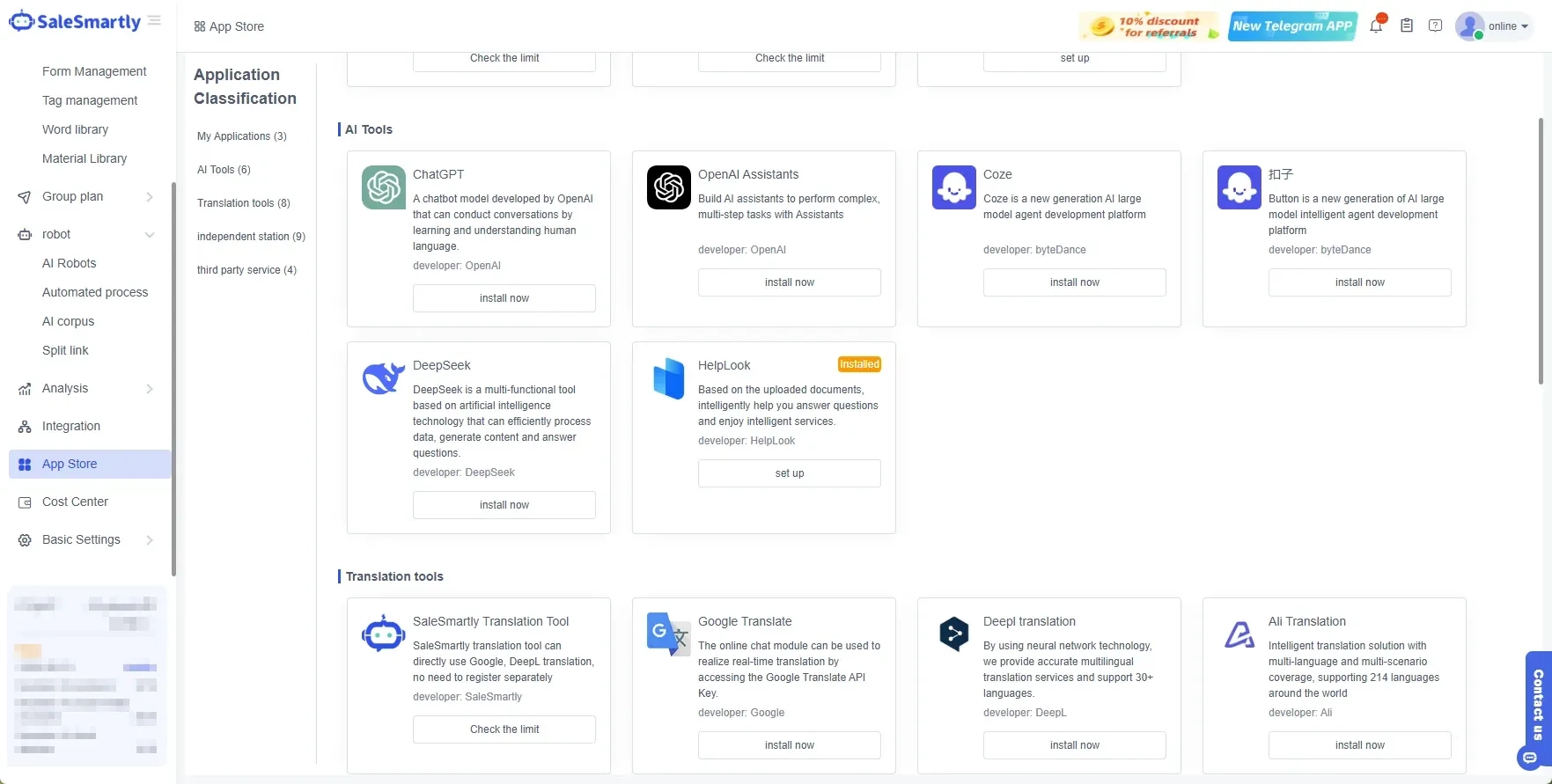
Its strength is unifying every customer conversation and letting a team connect its own AI model. It is not a full sales-pipeline CRM with deep forecasting, so a business focused on complex B2B deal stages will pair it with a dedicated sales tool.
- Omnichannel inbox: WhatsApp, Instagram, Facebook, TikTok, and web chat in one view.
- Conversation-based profiles: Builds each customer record from the chat history.
- Flexible AI: Connect GPTBots, Coze, Dify, OpenAI Assistants, ChatGPT, or DeepSeek.
- Real-time translation in 130-plus languages: Serves local and international customers.
Best for: Businesses that manage customer relationships mainly through chat and want conversations, automation, and profiles in one workspace.
Message the SaleSmartly team on WhatsApp for a demo of centralized CRM system.
5. Salesforce: Best for Enterprise Customization
Salesforce is the largest CRM platform in the world, holding roughly a fifth of the global market, and it offers the deepest customization and integration capability available. For a large organization with complex sales processes, it models almost any workflow and connects to nearly any system, backed by an enormous ecosystem of add-ons.
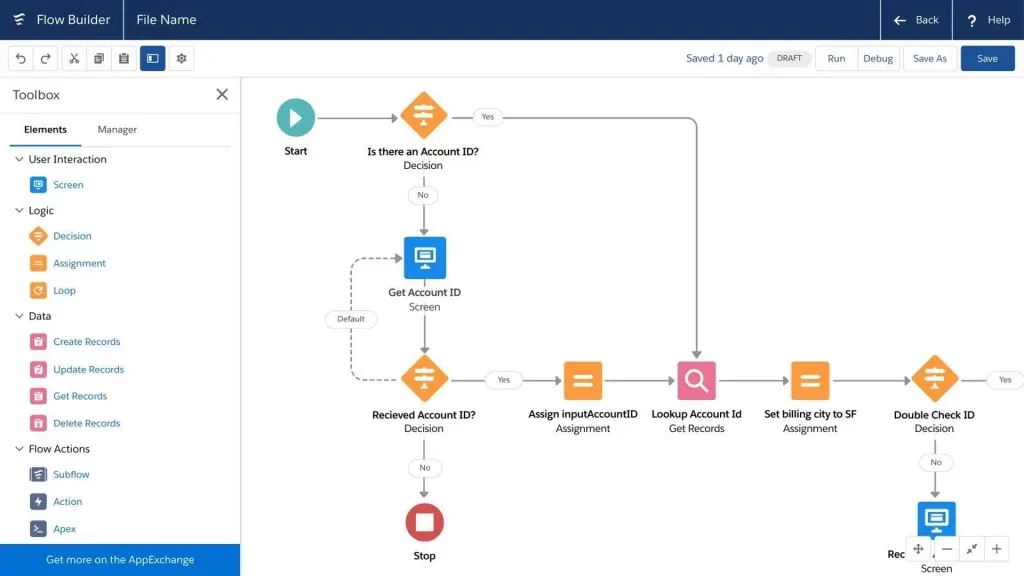
That depth is its strength and its cost. Salesforce carries a heavier implementation, often taking months, and a price point plus support requirements suited to enterprises, not small teams.
- Deep customization: Models almost any sales or service workflow.
- Enterprise integrations: Connects to nearly any business system.
- Advanced forecasting: Weighted, stage-based revenue forecasts at scale.
- Large ecosystem: Thousands of add-ons and specialist apps.
Best for: Large enterprises that need deep customization and can support a heavier, longer implementation.
6. Freshsales: Best for Small Teams Wanting Built-in AI
Freshsales is the sales CRM from the Freshworks suite, built to give small and mid-size teams AI-assisted selling in a clean, approachable interface. Its free plan supports up to three users with the full interface, and its AI features help score leads and suggest next steps without a complex setup.
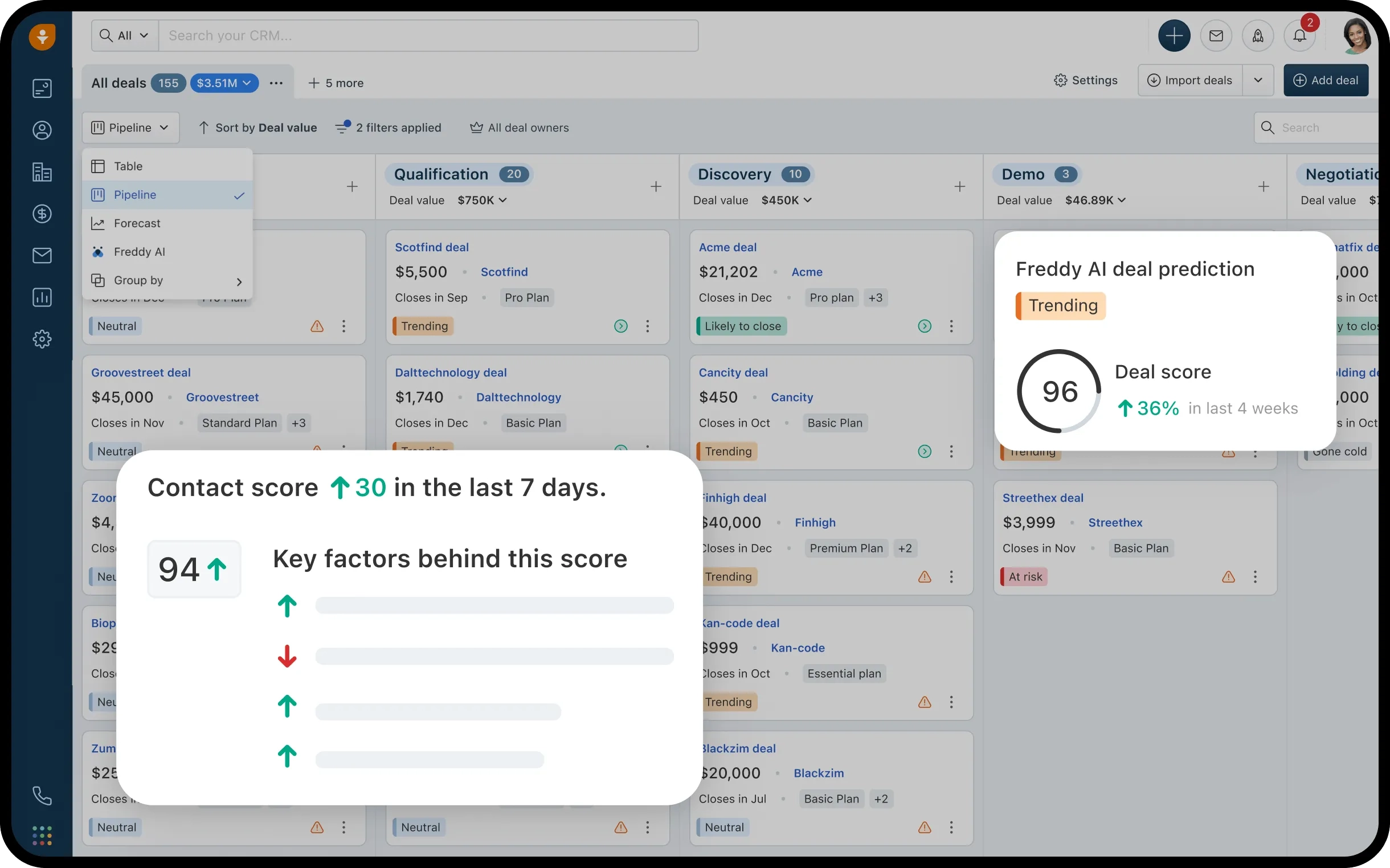
Its strength is an easy, modern experience with AI built in from the start. The trade-off is a smaller library of third-party integrations than the largest platforms, so a business relying on many niche tools should check compatibility first.
- Strong free plan: Full interface for up to three users at no cost.
- Built-in AI: Lead scoring and next-step suggestions included.
- Clean interface: Approachable for teams new to CRM.
- Freshworks suite: Connects to Freshdesk and other Freshworks tools.
Best for: Small teams that want a modern, AI-assisted CRM with a genuine free plan.
How Do You Choose the Right CRM Software?
You choose the right CRM software by matching it to your team size, budget, and whether your priority is sales pipelines, marketing, or customer conversations, since no single platform wins for everyone.
- Choose HubSpot if you want sales and marketing in one platform with a real free tier to start.
- Choose Zoho CRM if you want a broad feature set on a tight budget.
- Choose Pipedrive if your priority is a simple, visual sales pipeline.
- Choose SaleSmartly if your customers buy and ask over chat and you want conversations and profiles in one inbox.
- Choose Salesforce if you are a large enterprise needing deep customization and can support a full implementation.
- Choose Freshsales if you are a small team wanting a modern, AI-assisted CRM with a free plan.
Conclusion
CRM software has become essential for any business that wants to grow its customer relationships and keep track of every one of them. The right platform depends on your size and focus. HubSpot and Zoho suit all-in-one needs, Pipedrive fits visual sales teams, Salesforce serves large enterprises, Freshsales gives small teams AI on a budget, and SaleSmartly brings chat-based conversations into one CRM inbox.
Match the software to how your team actually sells and serves, and a CRM turns scattered customer data into the organised, revenue-driving system that keeps customers coming back.
FAQ
What is CRM software?
CRM software is a tool that stores customer information, tracks every interaction, and manages sales, marketing, and support in one place. CRM stands for Customer Relationship Management. It keeps a single record for each customer, including contact details, purchase history, and past conversations, so teams work from the same accurate information, not scattered notes and inboxes.
What are the benefits of CRM software?
CRM software centralises customer data, automates follow-up, and gives clear reporting on sales and service. Research shows it can lift sales by up to 29% and improve productivity, while giving every team the same accurate customer view. The main benefits are more closed deals, stronger customer retention, and better decisions based on real data.
Which CRM software is best for small businesses?
For small businesses, HubSpot and Freshsales both offer strong free plans that are easy to start with, while Pipedrive is a low-cost option for teams that mainly need a sales pipeline. Businesses that manage customers mostly through chat may prefer a conversational CRM like SaleSmartly. The best choice depends on whether your priority is sales, marketing, or customer conversations.
What Are the Best AI Chatbots for Business in Indonesia?
Compare the top 8 AI chatbots for business in Indonesia in 2026, from local language specialists to omnichannel platforms, with a clear guide on how to choose.
What Is CRM and How Does It Help Businesses Grow? A Complete Strategy
Discover what CRM means, how it works, the 3 main types, and how small-to-mid-sized businesses in Southeast Asia choose the right platform for chat-led growth.
