30+ Greeting Message Examples for WhatsApp Business and Online Stores
The first message a customer receives sets the tone for everything that follows. A weak or missing greeting leaves people waiting and unsure, while a good one reassures them instantly that they reached the right place. This guide gives you 30+ greeting message examples for WhatsApp Business, online shops, and customer service, along with how to set them up and the rules that make a greeting actually work.
What Is a Greeting Message?
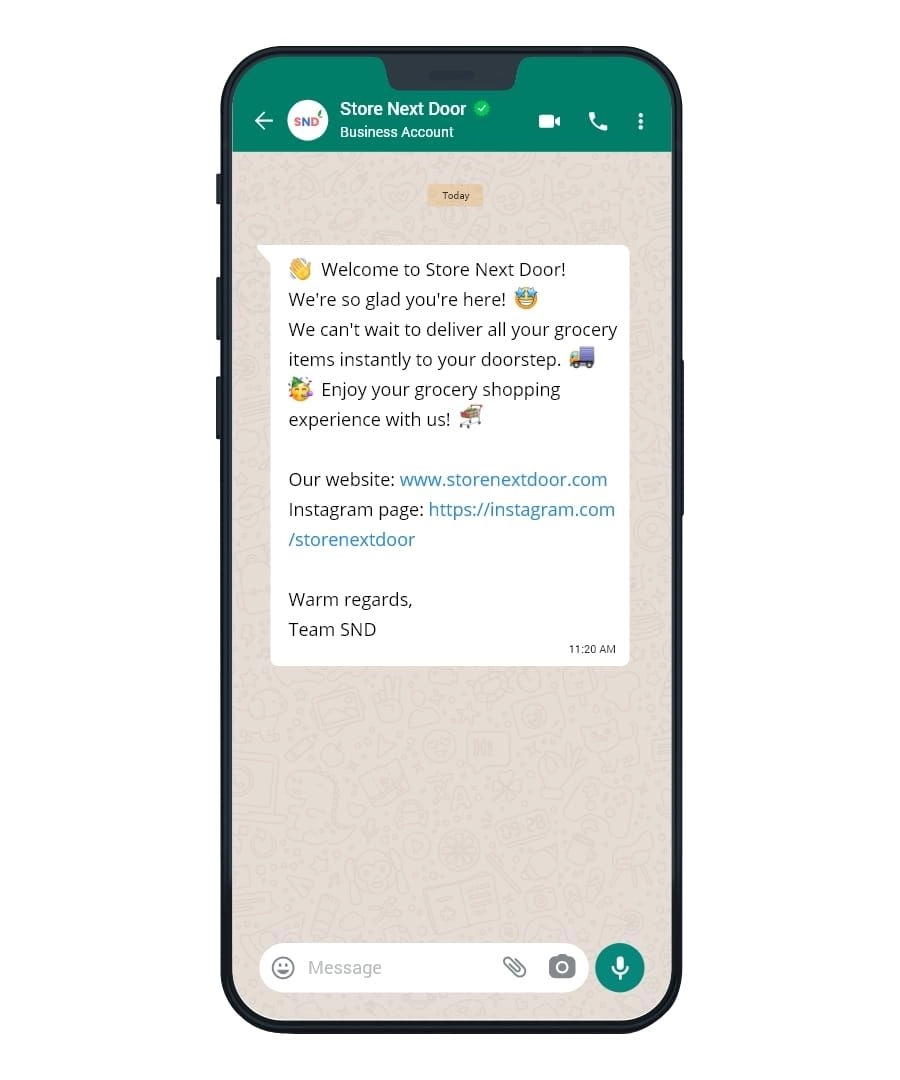
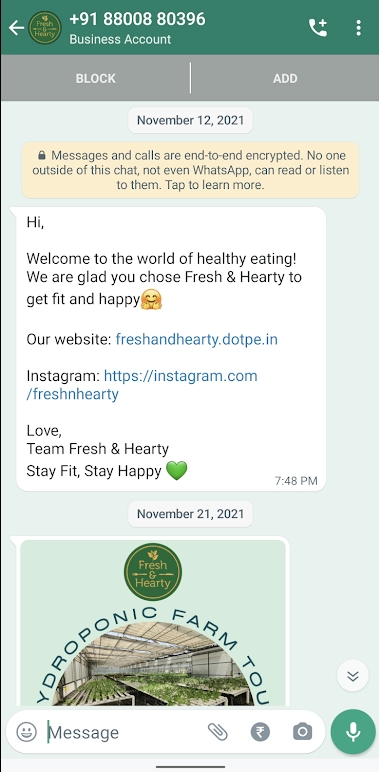
A greeting message is an automated first reply a business sends when a customer messages for the first time, acknowledging them instantly before a human can respond.
On WhatsApp Business, the greeting message fires automatically on first contact or when someone messages again after 14 days of inactivity. It is not a chatbot or a menu, but a single message that welcomes the customer, sets expectations about response time, and points them toward a next step.
Why Does a Greeting Message Matter?
A greeting message matters because it manages the customer's expectations in the seconds after they reach out, which is exactly when impatience or doubt sets in.
A good greeting does several things at once:
- Confirms they were heard: The instant reply removes the anxiety of silence after hitting send.
- Sets response expectations: Telling people when to expect a full reply stops them from messaging again or leaving.
- Makes a professional first impression: A polished welcome signals an organized, trustworthy business.
- Guides the next step: A clear prompt, like sharing an order number or browsing a catalog, moves the conversation forward.
A greeting handles the first second well, but on its own it cannot answer what the customer asks next. This is why many businesses pair it with an AI chatbot that continues the conversation instead of leaving the customer waiting after the welcome.
Greeting Message Examples for WhatsApp Business
These general WhatsApp Business greetings work for most businesses. Keep them warm, brief, and clear about what happens next.
- "Hello! Thanks for reaching out to [Business Name]. We have received your message and will reply within [X] minutes during business hours. How can we help you today?"
- "Hi there! Welcome to [Business Name]. Our team is here to help. Please tell us what you need and we will get back to you shortly."
- "Thank you for contacting [Business Name]. We are currently assisting other customers and will respond as soon as possible. In the meantime, feel free to share your question."
- "Hello and welcome! You have reached [Business Name]. To help us serve you faster, please let us know your name and what you are looking for."
- "Hi! Thanks for your message. Our support hours are [Days], [Hours]. We will reply during that time. For urgent matters, visit [link]."
- "Welcome to [Business Name]! A member of our team will be with you shortly. To speed things up, tell us briefly what you need help with."
- "Hello! Great to hear from you. We usually reply within [X] minutes. While you wait, you can check our FAQ here: [link]."
- "Hi, thanks for reaching out to [Business Name]! We are excited to help. Could you share a few details about what you are looking for?"
- "Hello! Thanks for messaging [Business Name]. We are here Monday to Friday, [Hours]. Drop your question and we will reply as soon as we are back."
Greeting Message Examples for Online Shops
For an online store, the greeting should welcome shoppers and gently guide them toward browsing or buying.
- "Welcome to [Store Name]! Thanks for stopping by. Let us know if you have any questions about our products, sizes, or shipping, and we will help you find the perfect item."
- "Hi! Thanks for messaging [Store Name]. Looking for something specific? Send us the product name or a screenshot and we will check availability for you right away."
- "Hello! Welcome to [Store Name]. Our new collection just dropped. Reply here with any questions about orders, payment, or delivery, and our team will assist you."
- "Thank you for reaching out to [Store Name]! To place an order, just send us the item and quantity you want. We will confirm the price and total for you."
- "Hi there! Thanks for your interest in [Store Name]. You can browse our full catalog here: [link]. Message us anytime and we will help you check out."
- "Welcome! Thanks for messaging [Store Name]. Want to know if an item is in stock or on sale? Send us the name and we will check for you."
- "Hello! Thanks for shopping with [Store Name]. Need help choosing? Tell us what you are looking for and your budget, and we will suggest the best options."
- "Hi! Welcome to [Store Name]. Our team replies fast during [Hours]. Send us your question about products, stock, or delivery and we will sort it out."
- "Thanks for reaching out to [Store Name]! Want to see what is popular right now? Ask us for our bestsellers and we will share the top picks."
Greeting Message Examples for Customer Service
Support greetings should reassure the customer that their issue is being handled and collect what is needed to help.
- "Hello! Thank you for contacting [Business Name] support. Please describe your issue and include your order number so we can assist you faster."
- "Hi! You have reached [Business Name] customer care. We are here to help. Kindly share the details of your concern and we will look into it right away."
- "Thank you for reaching out. We are sorry for any inconvenience. Please tell us what happened and we will do our best to resolve it quickly."
- "Hello! Our team has received your message and will respond within [X] hours. For faster help, please include any relevant photos or details."
- "Hi! Thanks for contacting [Business Name] support. Your request is important to us. Please share your order number and issue so we can help right away."
- "Hello! We are on it. To resolve your concern quickly, kindly confirm your registered name and what you need assistance with."
- "Hi! Thank you for getting in touch. We take every message seriously. Please describe your issue in a few words and we will guide you to a solution."
Thank-You and Payment Confirmation Message Examples
Greetings are not only for first contact. A short message after a purchase or payment keeps the experience warm and professional.
- "Thank you for your order with [Store Name]! We have received it and are preparing it now. You will get a shipping update soon."
- "Thank you for your payment! Your order [order number] is confirmed and will be processed shortly. We appreciate your trust in [Store Name]."
- "Payment received, thank you! Your order is now being packed. We will send you the tracking details once it ships."
- "Thank you for choosing [Store Name]! Your payment is confirmed. If you have any questions about your order, just reply here anytime."
- "We have received your payment, thank you! A confirmation and receipt have been sent. We appreciate your business and hope to see you again."
How Do You Set Up a Greeting Message on WhatsApp Business?
Setting up a greeting message on the WhatsApp Business app takes under two minutes and requires no technical setup.
- Open the app, tap the three-dot menu or Settings, then go to Business Tools and select Greeting Message.
- Toggle on "Send greeting message," write your text, and choose who receives it, either everyone, everyone except certain contacts, or only specific people.
- Save, then test it by messaging your business number from another phone.
- Keep the message under about 200 characters so the important part, your response time or hours, does not get buried.
Pairing a greeting with an AI WhatsApp chatbot lets the conversation continue automatically after the welcome lands, rather than leaving the customer waiting again.
What Makes a Good Greeting Message?
A good greeting message is short, warm, and clear about what happens next, and it never leaves the customer guessing.
- Keep it brief: Aim for under 200 characters so the key detail is read, not skimmed past.
- Personalize where you can: Use the customer's name or reference the channel to sound human, not robotic.
- Set a clear expectation: State your response time or business hours so people know when to expect help.
- Give one next step: Ask for an order number, a product name, or point to a catalog link.
- Match your brand voice: A formal service brand and a casual online shop should not sound the same.
SaleSmartly turns that opening message into a real conversation. The greeting flows straight into AI replies and keyword routing, so the customer gets a useful answer instead of silence, and your whole team works from one shared inbox across WhatsApp, Instagram, and more, with the full history in view when a person needs to step in.
Conclusion
A greeting message is a small piece of copy with an outsized effect. It is the first thing a customer reads, and it decides whether they feel welcomed and informed or ignored and unsure. The examples above cover the common situations, from a general WhatsApp welcome to online-shop, support, and payment messages, and each one works best when kept short, warm, and clear about the next step.
Templates get you started, but the real gain comes from pairing a strong greeting with a system that carries the conversation forward. Set up your greeting today, keep it personal and specific, and make sure whatever comes after it is just as responsive as the welcome itself.
To understand the automation options behind it, read more about chatbot types.
FAQs
What is a greeting message in WhatsApp Business?
A greeting message is an automated first reply sent when a customer messages your WhatsApp Business account for the first time or after 14 days of inactivity. It welcomes them, sets expectations about response time, and can point to a next step. It is set up under Business Tools and fires automatically, so no first message goes unanswered.
How do I write a good greeting message?
Keep it short, ideally under 200 characters, so the key detail is read rather than skimmed. Welcome the customer warmly, state your response time or business hours, and give one clear next step, such as sharing an order number. Match the tone to your brand, and personalize with the customer's name or channel where possible to sound human.
What is a good greeting message for an online shop?
A good online-shop greeting welcomes the shopper and guides them toward buying. For example: "Welcome to [Store Name]! Thanks for stopping by. Let us know if you have questions about our products, sizes, or shipping, and we will help you find the perfect item." It sets a friendly tone and invites the customer to start a conversation.
What Are the Functions of a Chatbot? A Practical Guide
A practical guide to the functions of a chatbot, the technology that powers it, and real examples of chatbots at work in business.
What Is an AI Chatbot for Customer Service and How Does It Work?
Learn what an AI chatbot for customer service is, how it works, where it delivers real gains, and how to choose the right platform for your team.
