What Is CRM and How Does It Help Businesses Grow? A Complete Strategy
Key Takeaways About CRM
- CRM stands for Customer Relationship Management, and it refers to both a business strategy and the software that powers it.
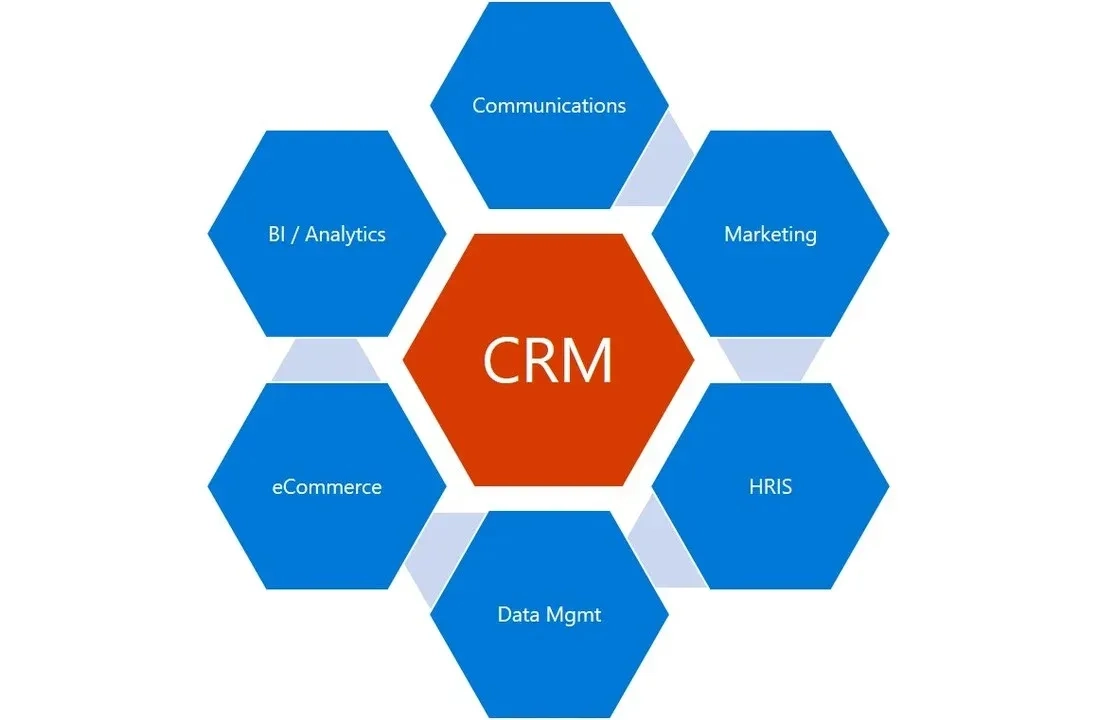
- A CRM system centralizes customer contacts, sales pipelines, communication history, and reporting so sales, marketing, and support teams work from one shared record.
- For small-to-mid-sized businesses in Southeast Asia, the right CRM depends on team size, budget, and whether customers reach the business mainly through WhatsApp, Instagram, or traditional email.
CRM has become the default operating layer for growing businesses, and the term now covers everything from a $0 free tier used by a two-person startup to enterprise platforms that cost more than a full-time salary. This article breaks down what CRM actually means in 2026, how the software works layer by layer, the frameworks used to classify it, and how a small-to-mid-sized business in Southeast Asia can pick a platform that the team will actually use.
What Is CRM?
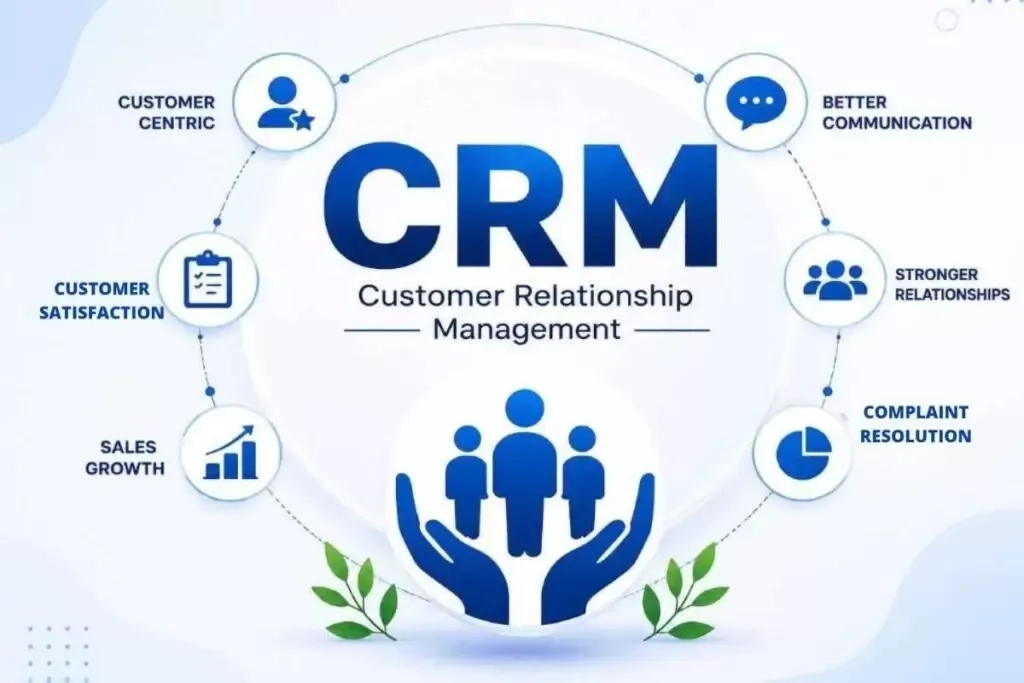
CRM stands for Customer Relationship Management, and it refers to a business approach for managing every interaction a company has with its current and potential customers, along with the software that stores those interactions and automates the work around them.
In practice, people use "CRM" to mean two related things. The first meaning is the strategy itself, which covers how a business plans to attract, serve, and keep customers over time, and the second meaning is the CRM platform where contact details, deal stages, past conversations, and follow-up tasks live.
How Does a CRM System Work?
A CRM system works by pulling every customer touchpoint into one connected database, then layering automation, reporting, and team workflows on top so the business can act on the information. Most modern platforms run on five connected layers:
- Contact & Data Centralization
The CRM captures customer details from web forms, imported spreadsheets, chat channels, email inboxes, and integrated apps like Shopify or Tokopedia. Each contact record holds identifiers such as name, phone number, email, company, and any custom fields the business tracks, and the system uses these identifiers to keep one record per real person even when the data comes in from different sources.
- Sales Pipeline & Deal Tracking
Each active opportunity moves through named stages (for example, New Lead, Qualified, Proposal Sent, Negotiation, Closed Won). The CRM tracks the deal value, expected close date, assigned owner, and stage age, giving managers a live view of what is likely to close this month and what is stuck.
- Interaction History & Communication Logs
Every email sent, chat message exchanged, call logged, and note added is timestamped and attached to the customer record. When a new agent picks up a conversation, the full history is one click away, so the customer does not have to re-explain the problem.
- Task Automation & Workflow Triggers
The CRM watches for triggers such as a new form submission, a stage change, or a period of inactivity, then runs automated actions like assigning a follow-up task, sending a templated email, or moving the deal to the next stage. This is the layer that turns a passive database into an active system.
- Reporting & Customer Insights
Dashboards summarize pipeline health, conversion rates by stage, agent response times, and customer lifetime value. Leadership uses these reports to spot bottlenecks and to decide where to invest.
The 7 C's of CRM Strategy
The 7 C's frame CRM as a strategy, and each C names one dimension the business has to get right for the CRM to deliver value:
- Customer: Put the real customer at the center of every decision, and design workflows around what the customer needs, not what is convenient internally.
- Culture: Build a company culture where every team treats customer data as shared property, not a personal asset the sales rep owns.
- Communication: Keep every conversation with the customer consistent across channels, so the person hears the same message whether they email, WhatsApp, or walk into a store.
- Consistency: Deliver the same quality of service and the same brand experience across every touchpoint and every team member.
- Content: Feed the customer relevant content at the right stage of their journey, from first awareness through post-purchase support.
- Compensation: Reward the customer for staying loyal (through discounts, early access, or better service tiers) and reward employees for behaviors that build long-term customer relationships.
- Convenience: Make it easy for the customer to reach the business, get answers, complete a purchase, and get help after the sale.
The 7 C's work as a checklist for a CRM strategy audit. If a business has strong CRM software but weak culture or inconsistent communication, the software will not fix the gaps.
Do I Need a CRM for My Business?
Yes, if the business manages more than a handful of active customer relationships, and especially if sales, marketing, or support conversations spread across email threads, spreadsheets, and personal memory. A CRM becomes overkill only when the customer base is tiny, stable, and served entirely by one person.
The concrete benefits SMBs see once a CRM is in place include:
- Everything on one customer in one place: No more digging through Gmail and WhatsApp to reconstruct what was promised last week.
- Faster sales cycles from cleaner follow-up: Automated reminders and task queues stop leads from going cold while a rep is busy with someone else.
- Sales, marketing, and service working from the same record: A support ticket about a broken product feeds back into the sales team's account view, so the next renewal conversation starts with context.
- Better retention through timely, personalized contact: Segmentation and behavior triggers let the business reach out with something relevant at the right moment.
- Data-driven decisions from real customer patterns: Leadership can see which channels bring the best customers, which stages leak deals, and where to double down.
CRM value is not automatic, in fact, it pays off when the process discipline behind it is real, and disappoints when it becomes a compliance tool leadership uses to track keystrokes. Used well, CRM turns a passive contact list into an active system that acts on customer information without waiting for anyone to remember.
How to Choose the Right CRM for a Small-to-Mid-Sized Business
Choosing the right CRM system starts with defining business goals and mapping the sales process before comparing software, then evaluating core features, integrations, and total cost against what the team will actually use daily. The three checkpoints below cover the buy decision in the order experienced CRM consultants recommend.
| Checkpoint | What to Focus On | Key Question to Ask |
|---|---|---|
| Business goals and processes | Map workflows, pain points, and future-state operations before any demo | What is broken today, and what does the ideal future workflow look like? |
| Core features and integrations | Ease of use, automation, and connections to the apps the team already uses | Will the team actually log in and use this every day? |
| Pricing and total cost | Full year-one and year-two cost including setup, training, and integrations | What does the price look like once the team doubles? |
- Define business goals and processes first
Around half of CRM projects fall short because teams pick software before mapping how the business actually works. Documenting current sales stages, customer touchpoints, and operating complexity, along with pulling in sales and support team input early, avoids the trap of buying a platform built for a workflow the team does not use.
- Evaluate core features and integrations against daily use
Ease of use decides adoption, and a powerful CRM the team refuses to touch delivers no value. The features most SMBs need are automated lead routing, task reminders, email templates, and native integrations with the tools already in daily use.
For chat-led SMBs in Southeast Asia, this usually means WhatsApp Business API, Instagram DM, Shopee, Tokopedia, Lazada, and Shopify. A software CRM shortlist can narrow platforms that handle regional integrations natively, and a WhatsApp CRM integration systems guide covers the WhatsApp-specific options.
- Compare pricing against total cost of ownership
The monthly subscription is one line in a larger budget. Setup fees, staff training, custom integrations, and data migration from spreadsheets or legacy tools all add up quickly. Testing a free trial with the actual team members who will use the CRM daily is the single best way to catch adoption problems before signing a contract.
Typical CRM pricing ranges for SMBs in 2026:
- Solo founders and micro teams: $0 on a free tier
- Small teams (5-20 users): $10-20 per user per month
- Growing mid-sized teams: $30-100 per user per month
- Enterprise-level businesses: $150+ per user per month
What Are the Best CRM Platforms for Small Businesses?
The best CRM for a small business balances usability, price, quick setup, and a growth path so the tool does not need to be replaced when the team doubles. The comparison below covers five platforms that consistently show up in SMB shortlists, including one built specifically for chat-led businesses in Southeast Asia.
| Platform | Best For | Key Strength | Trade-Off |
|---|---|---|---|
| HubSpot CRM | Teams wanting a free tier with a real growth path | Deep marketing and content tools built in | Paid tiers get expensive fast at scale |
| Zoho CRM | Budget-conscious teams that want a full software bundle | Bundled with 40+ Zoho apps for one price | Interface feels dated to some users |
| Pipedrive | Sales-driven teams focused on pipeline visibility | Visual sales pipeline that reps actually use | Weaker marketing automation than HubSpot |
| Monday CRM | Teams already using Monday.com for project work | One workspace for CRM and project management | Not purpose-built as a CRM from day one |
| SaleSmartly | Chat-led SMBs in Southeast Asia on WhatsApp, IG, TikTok | CRM record built directly from chat conversations | Not a full sales-forecasting or enterprise CRM |
HubSpot CRM
HubSpot CRM is the platform most SMB founders try first because the free tier removes the risk of trying CRM at all. The free plan covers contact management, deal pipelines, email tracking, and basic reporting for an unlimited number of users.
Key features:
- Free forever tier with unlimited users and up to 1 million contacts
- Built-in email marketing, forms, and landing pages
- Native integrations with Gmail, Outlook, and 1,500+ apps
- Sales dashboards and pipeline reporting
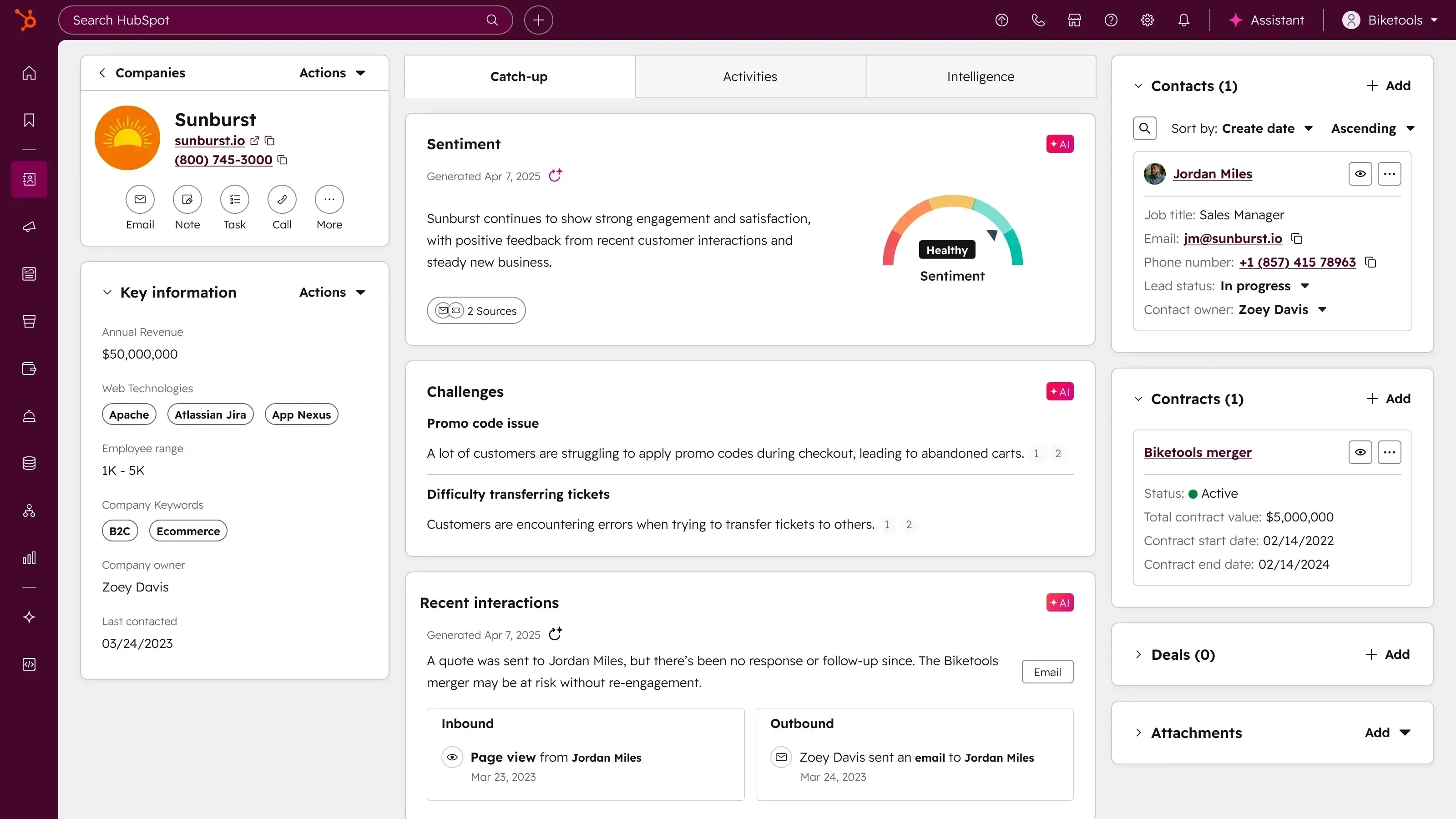
Pros and cons: HubSpot's strongest asset is the free-tier-to-paid growth ramp, which lets a solo founder start at $0 and expand into full sales, marketing, and service suites without switching platforms. The trade-off is pricing, since HubSpot Professional starts around $1,200/month for 5 users, once a business needs automation and reporting depth that the free tier lacks.
Zoho CRM
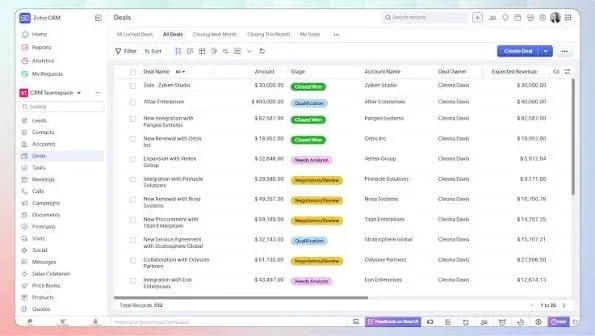
Zoho CRM sits in a different corner of the market. It is built to be the CRM inside a full software suite (email, accounting, HR, project management), which changes the total cost.
Key features:
- Lead and deal management with customizable pipelines
- Workflow automation with rules, triggers, and approval flows
- AI assistant (Zia) for lead scoring and next-best-action suggestions
- Zoho One bundle gives access to 40+ business apps for a single per-user price
Pros and cons: Zoho wins on bundle value, especially for SMBs that also need accounting (Zoho Books), email (Zoho Mail), and HR tools without buying five separate subscriptions. The trade-off shows up in the interface, which some users describe as functional but visually dated compared with newer competitors.
Pipedrive
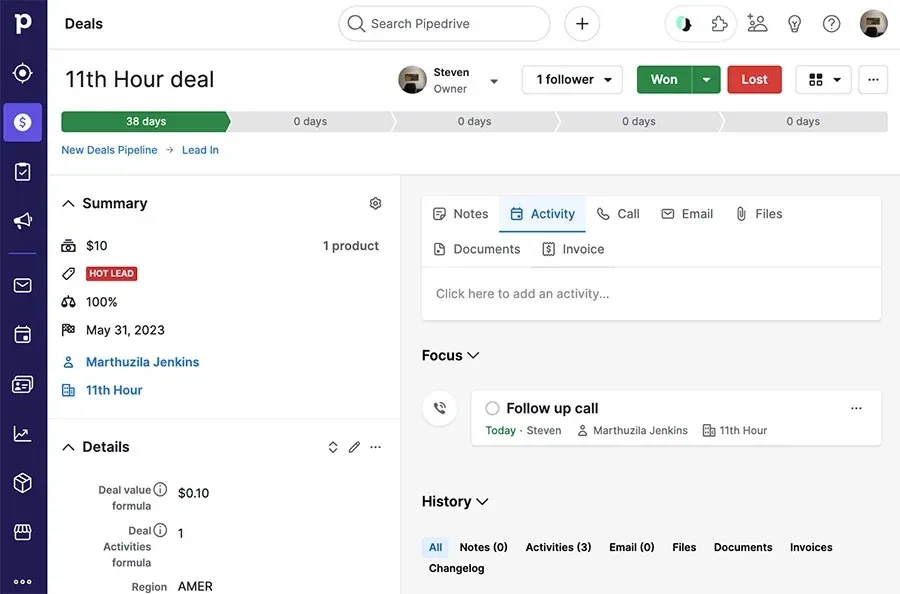
Pipedrive was built by sales reps for sales reps, and the product shows it. The kanban-style pipeline is the centerpiece, and everything else is designed around keeping deals moving forward.
Key features:
- Visual drag-and-drop sales pipeline
- Activity reminders tied to each deal
- Email integration with two-way sync
- Sales forecasting and revenue reporting
Pros and cons: For a sales team whose main question is "what's the next action on each open deal," Pipedrive gives the fastest answer to any platform on this list. The trade-off is scope, since Pipedrive is a pure sales CRM without the marketing automation or customer service ticketing that HubSpot and Zoho include.
Monday CRM
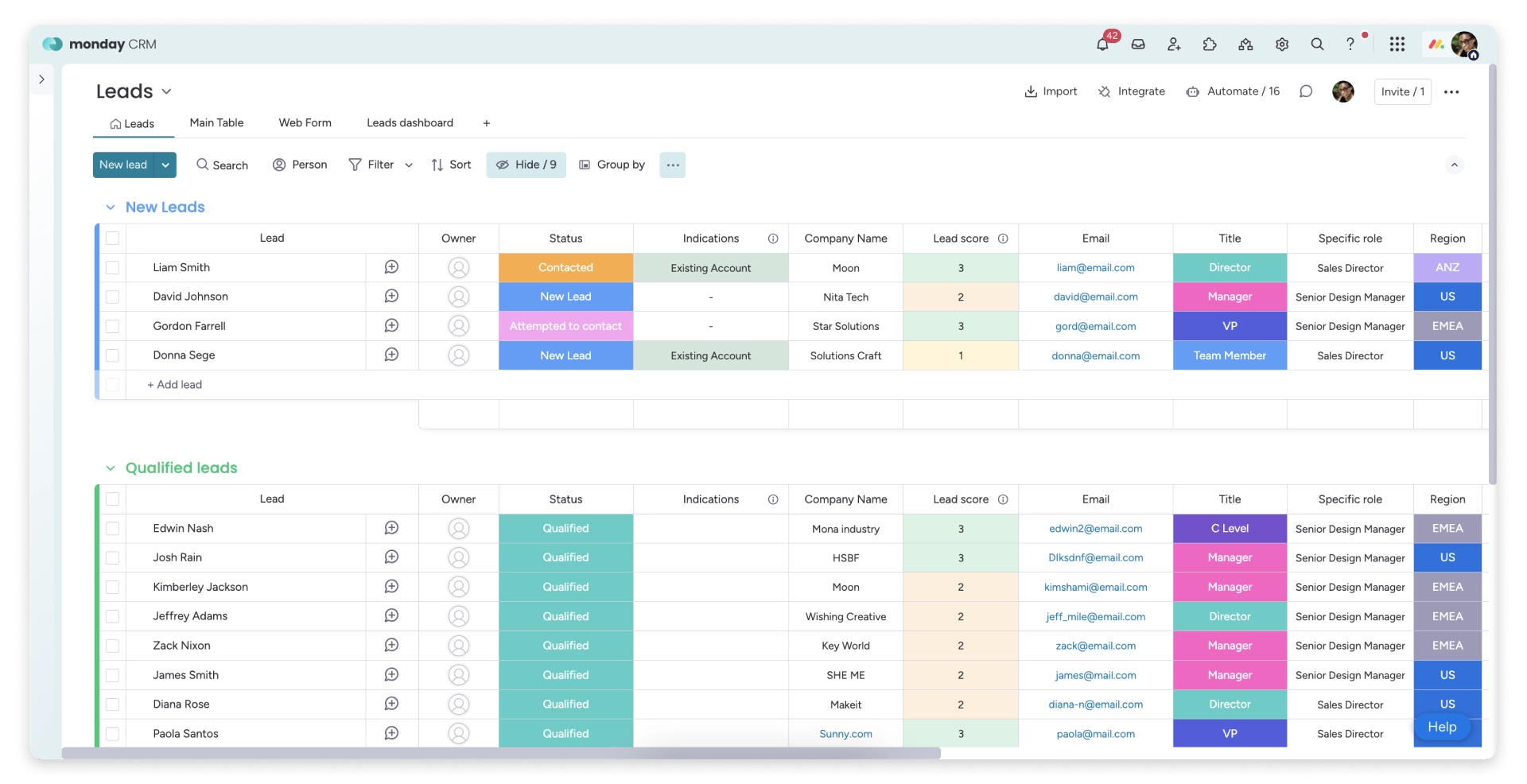
Monday CRM extends the Monday.com project management platform into customer relationship management, which is convenient for teams that already run their operations on Monday boards.
Key features:
- Customizable boards for contacts, leads, and deals
- Automations, forms, and dashboards shared across projects and CRM
- Integrations with Gmail, Outlook, Slack, and Zapier
- Same interface as Monday's project tools, reducing training time
Pros and cons: The strength is workflow unification. Teams already comfortable with Monday.com get CRM without learning a new tool. The trade-off is depth. Monday CRM was built on top of a project management platform, so features like advanced sales forecasting and email marketing are lighter than in dedicated CRMs.
SaleSmartly
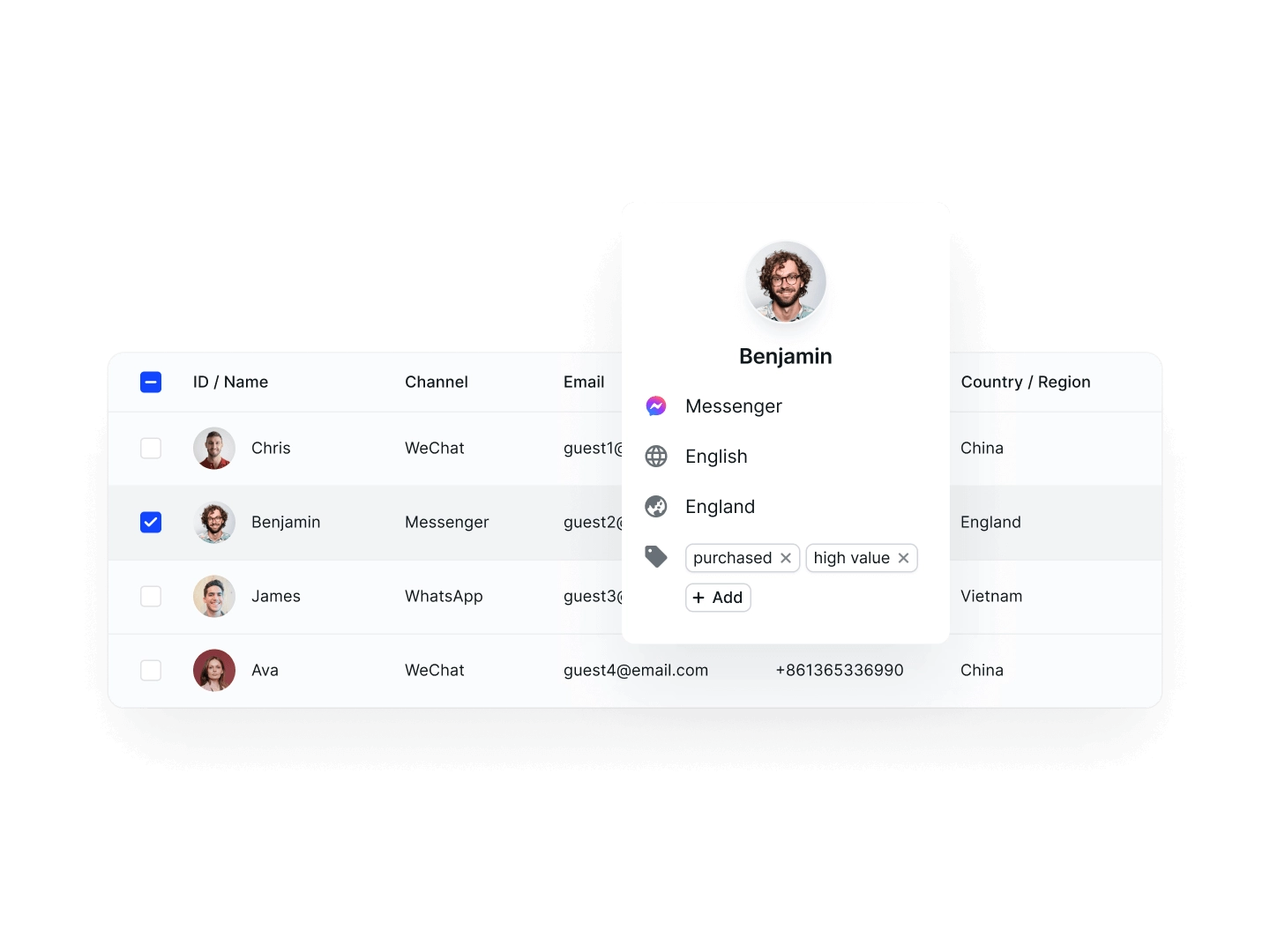
SaleSmartly is a chat-led CRM built for SMBs whose customers reach them primarily through WhatsApp, Instagram, TikTok, and other messaging channels. The CRM record is built directly from those conversations, so the sales pipeline and customer history stay grounded in what customers actually said, not what a rep typed in later.
Key features:
- Unified inbox for WhatsApp Business API, Instagram DM, TikTok, Facebook Messenger, LINE, and email
- Contact records auto-built from chat channels with full conversation history attached
- Team routing rules for language, region, product line, and priority
- Built-in AI chatbot for after-hours coverage and first-response qualification
- Broadcast and campaign tools designed for WhatsApp Business API compliance
Pros and cons: SaleSmartly's strongest asset is depth on regional chat channels, especially WhatsApp Business API and TikTok Shop, which most global CRMs treat as an afterthought. The trade-off is scope, since SaleSmartly is not built as a full traditional sales-forecasting CRM (HubSpot or Pipedrive fit better there) and is not a specialized banking or insurance system.
Talk to SaleSmartly specialist for a walkthrough demo!
Which CRM Is Best for Beginners?
SaleSmartly is the best CRM for beginners running a chat-led business, especially SMBs in Indonesia and Southeast Asia that operate primarily through WhatsApp, Instagram DMs, and TikTok, because the setup does not require rebuilding an entire sales process before the tool is useful.
For beginners deciding by business type:
- HubSpot CRM is suitable if the business wants a free tier to test the concept with no budget commitment and a growth path into marketing and service tools later.
- Zoho CRM is suitable if the business needs a CRM plus email, accounting, and other tools bundled affordably in one subscription.
- Pipedrive is suitable if the team is sales-driven and needs simple pipeline visibility from day one without marketing complexity.
- Monday CRM is suitable if the team already runs projects on Monday.com and prefers one workspace for both.
- SaleSmartly is suitable if customers reach the business mainly through WhatsApp, Instagram DMs, or TikTok and the CRM record needs to be built from those conversations directly.
Frequently Asked Questions
What does CRM stand for?
CRM stands for Customer Relationship Management. The term covers both the strategy of managing customer relationships and the software platforms that store contact details, sales pipelines, communication history, and reporting in one place.
Is Excel a CRM tool?
No. Excel is a spreadsheet, and while very small businesses often start with it, Excel lacks the automation, communication logging, permission controls, and integration depth that a real CRM provides. Most teams outgrow spreadsheets once they cross about 50 active customer relationships or add a second person to the customer-facing team.
Is CRM easy to learn?
Yes for entry-level platforms like HubSpot Free, Pipedrive, and SaleSmartly, which are designed for non-technical founders to set up and use within a day. The learning curve gets steeper for enterprise platforms like Salesforce, which often need a certified consultant to configure.
How much does a CRM cost?
CRM pricing ranges from free (HubSpot Free, Zoho CRM Free Edition for up to 3 users) to $150+ per user per month for enterprise platforms like Salesforce and Microsoft Dynamics 365. Most SMBs land in the $15–50 per user per month range, which covers automation, integrations, and reporting for a small team.
What's the difference between CRM and ERP?
CRM manages customer-facing activities (sales, marketing, service, and communication history), while ERP (Enterprise Resource Planning) manages internal operations (inventory, accounting, HR, supply chain, and manufacturing). Some large businesses run both, connected through integrations, so the customer view and the operational view stay aligned.
What Is the Best CRM Software for Your Business in 2026?
Compare the top 6 CRM software platforms for 2026, from HubSpot and Zoho to conversational CRM, with features, pros and cons, and how to choose.
What Is a CRM System and How Does It Actually Work?
Discover what a CRM system is, how it works, main types, benefits with real costs, common challenges, and the top 5 CRM platforms for Indonesian SMBs.
